¶ Enable Automatic e-way bill in Hisab
To enable Automatic e-way bill feature in Hisab, you are required to enable GSP API access on Government e-way bill portal. Hisab has tied up with Masters India Pvt Ltd for API access to government portal.
Please perform all below mentioned steps to configure automatic e-way bill. This is only one time configuration.
¶ Configuration in E-way bill portal
¶ Login to e-way bill portal
If you have not signed up for e-way bill portal ever, you can do it by visiting government portal by using your GSTIN number and registered mobile number.
- Log in into the Government portal with your username and password.
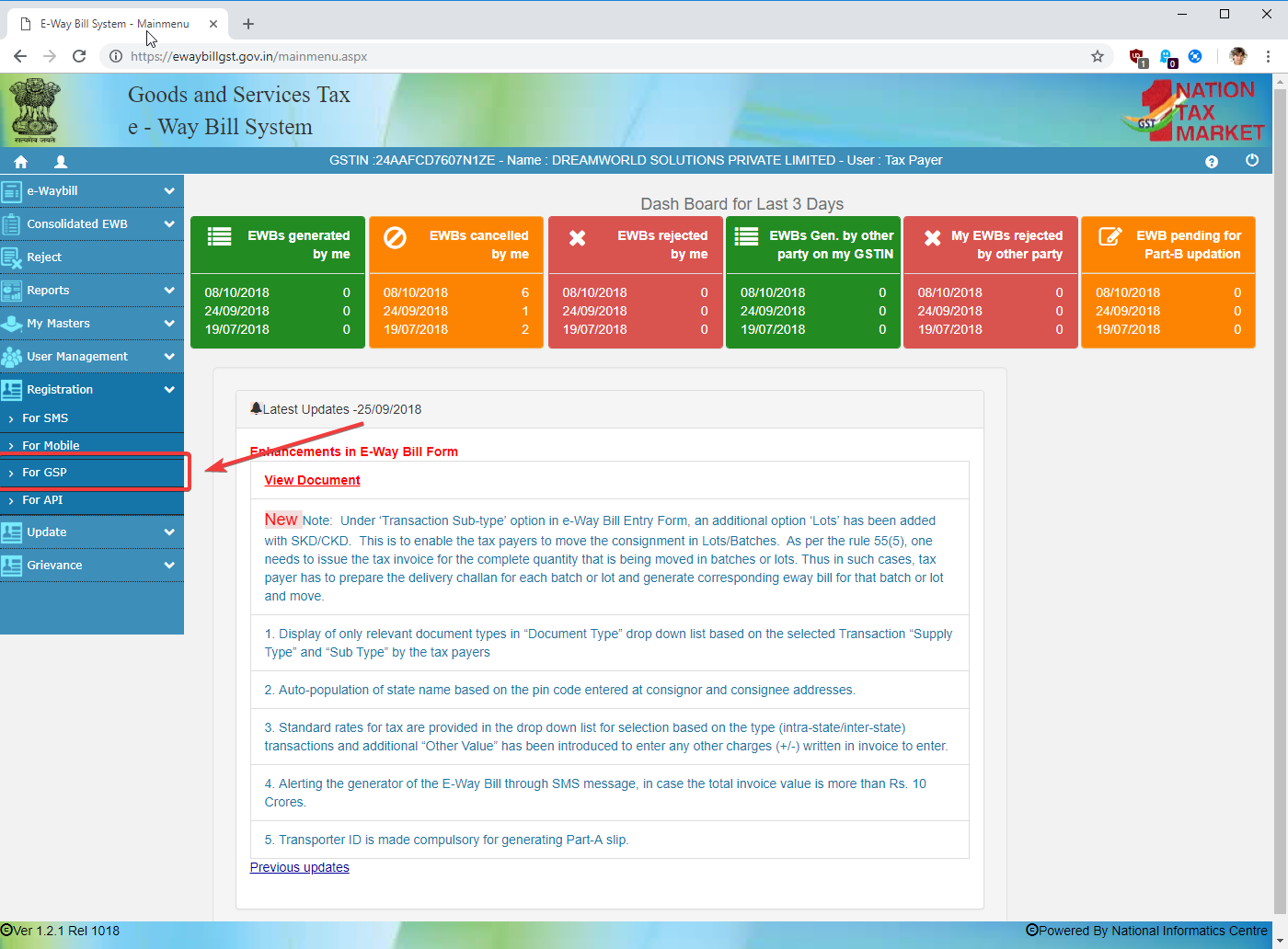
- On the left hand side, find the menu item called ‘Registration’. Click on it.
- You can see the ‘For GSP’ menu at there. Click on it to open "Register your GST Suvidha Provider" page.
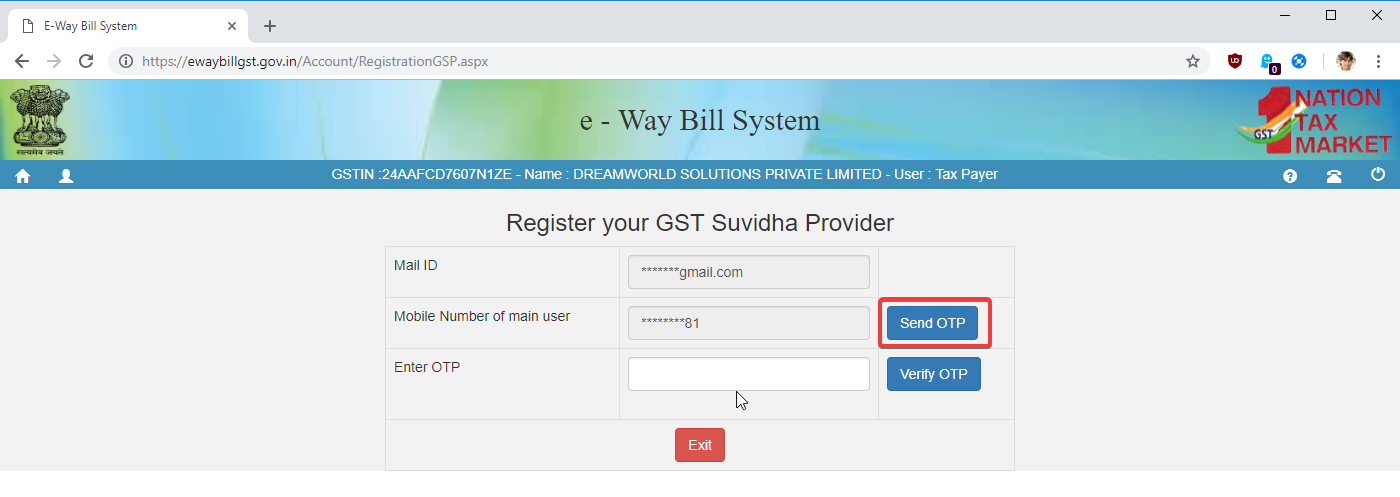
- On "Register your GST Suvidha Provider" page, for security purpose you are asked to verify via OTP on your registered mobile number.
- Click "Send OTP" to get OTP on your registered mobile number.
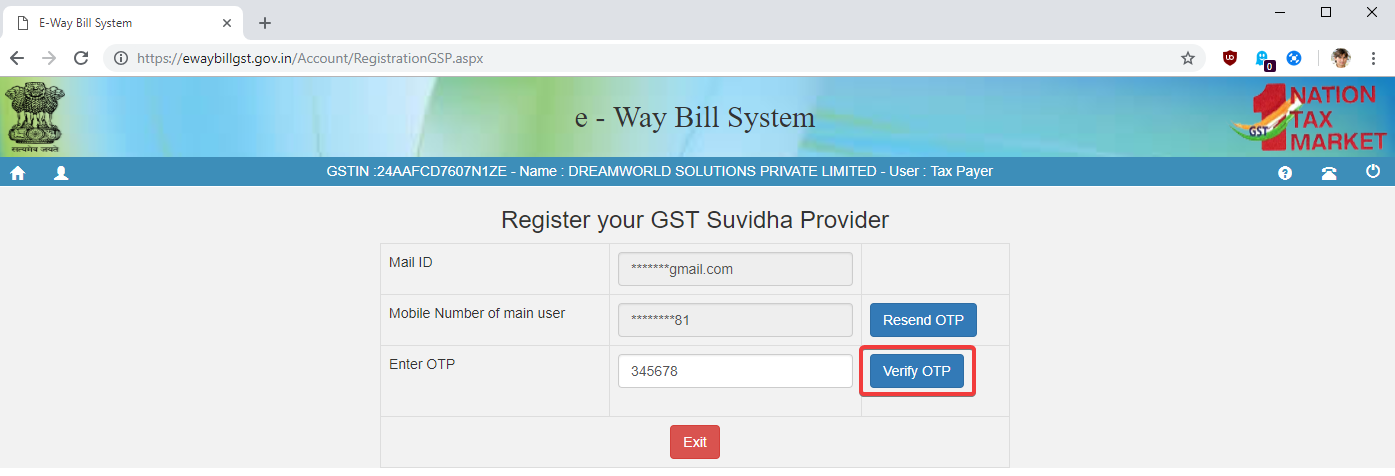
- Once you get OTP, type it in and click "Verify OTP" button.
- On successful verification, you are taken to Register your GST Suvidha Provider page.
¶ New GSP registration
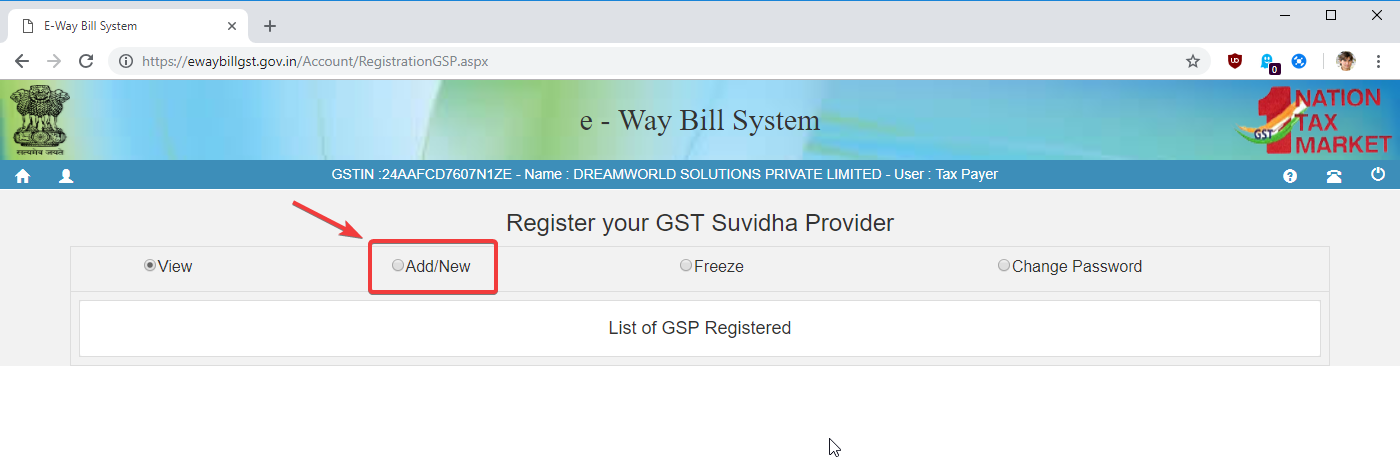
- Click on ‘Add/New’ button to open GSP registration form.
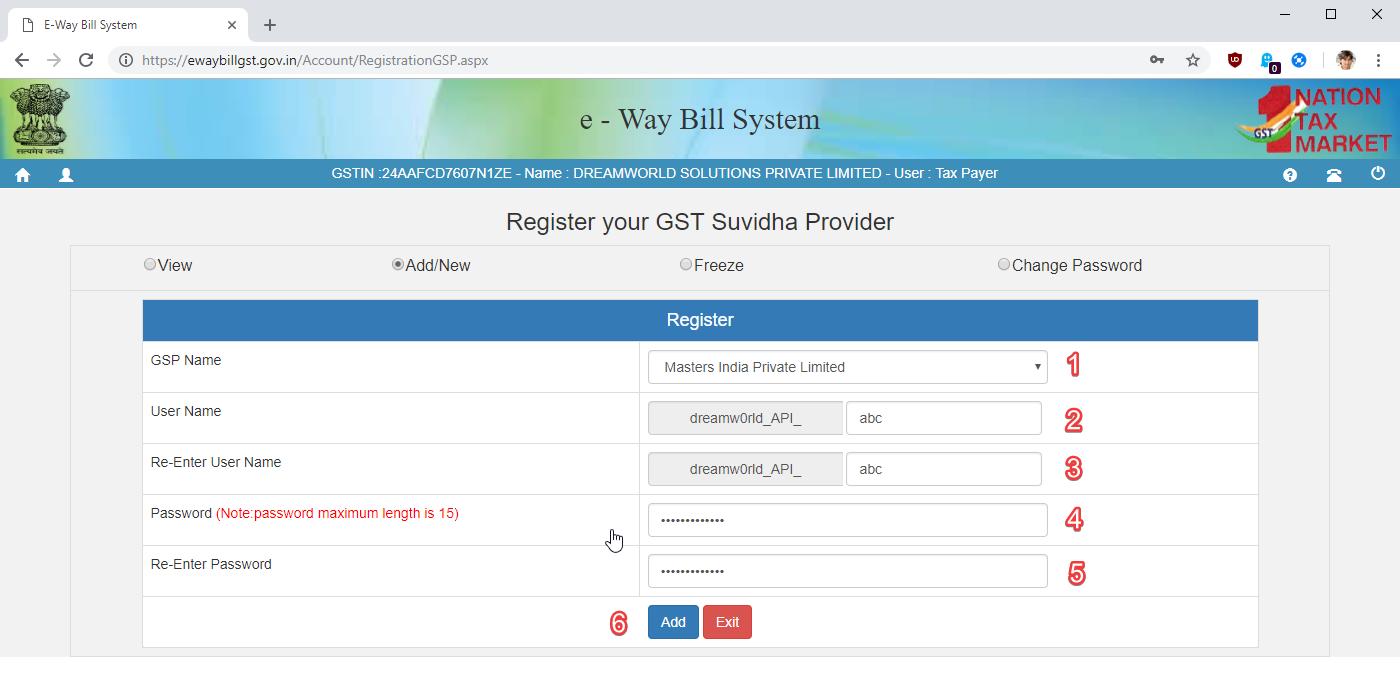
- Fill in below details in form.
- Choose ‘Masters india Pvt Ltd’ as the GSP Name
- Add suffix in Username. (3 characters)
- Re-Enter suffix in Username
- Choose your password, it must be more than 12 characters.
- Re-Enter password
- Click Add button to finish registration
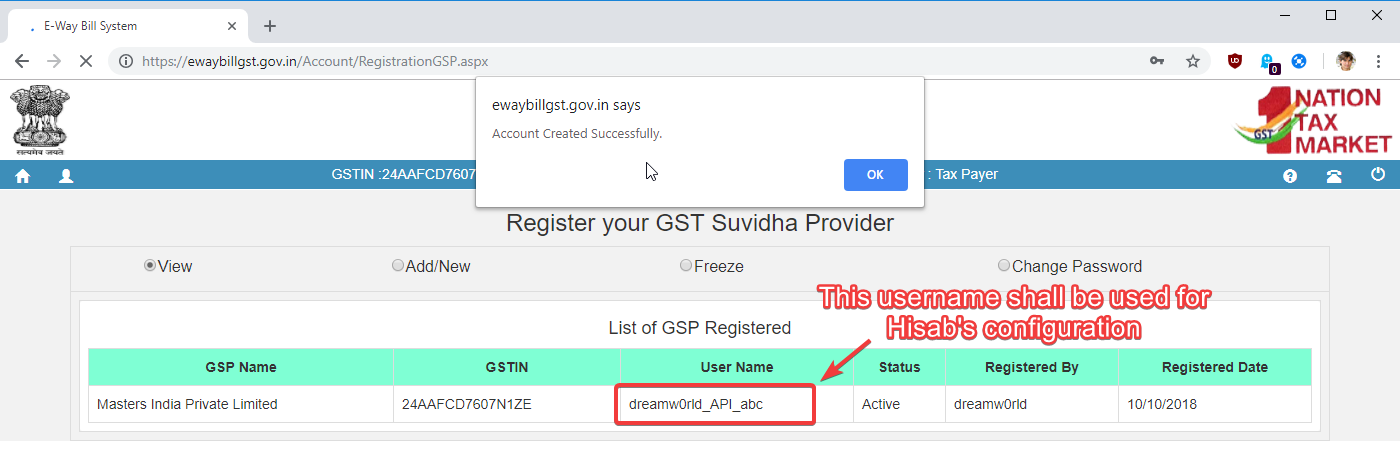
Once you have finished registration, you can see your Username. You would require this user name and above selected password to configure Hisab.
¶ Configuration in Hisab
Once you have enabled GSP access as per above, you should have got User name and password.
To enable automatic e-way bill in Hisab,
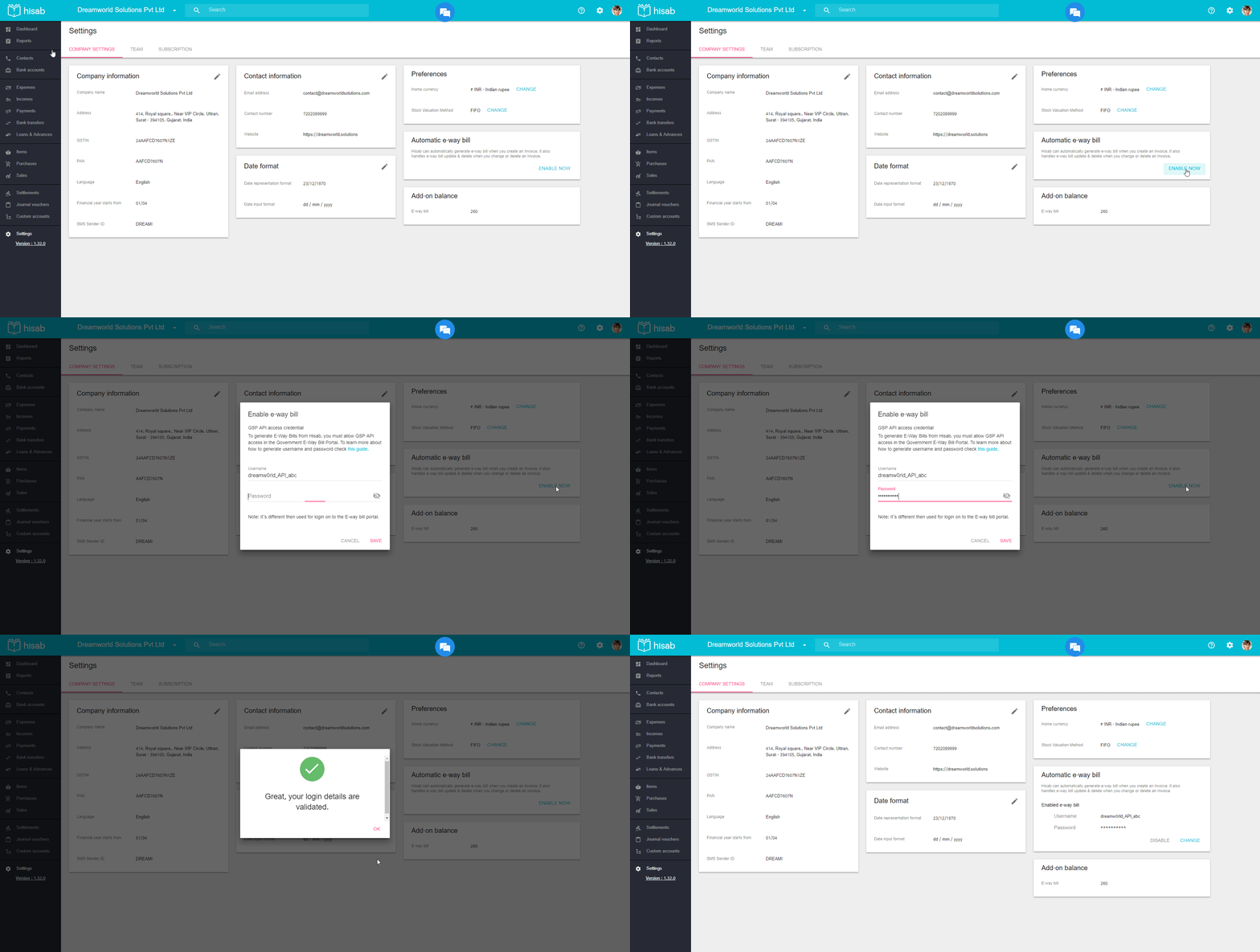
- go to Settings page and click "Enable Now" button under Automatic e-way bill section.
- Enter your above created user name and password.
- Click Save button.
- If your credentials are correct, it should now enable automatic e-way bill.